

The Best eSIM for South Korea: Do You Actually Need One? (2026)
Last Updated on September 29, 2026 by Kimberly
You are probably here to answer one question before your trip to Korea: how do I get working data the moment I land, without overpaying for roaming or fighting with a SIM card at the airport?
Short answer: get an eSIM. And the one I recommend to everyone who visits is Holafly.
Quick honesty first, because it matters. When I lived in Korea, I was a resident on a KT plan, so my day-to-day setup was a local contract, not a tourist eSIM.
But every single time friends or family came to visit us, Holafly is what I told them to download. It is also the eSIM I personally use everywhere else I travel, from all over Europe to Jordan to Morocco.
So this is a recommendation I genuinely stand behind, based on real use. I just want my cards on the table about how I was set up while I actually lived there.
Here is everything you need: whether you even need one, whether your phone will work, what it costs right now, and the honest downsides.
In a Rush? My Top 3 Picks for Landing in Korea
The three things I tell every visitor to sort before they fly.
Get Online
Holafly eSIM
Unlimited data, installs before you fly, activates the second you land. My pick.
Check Holafly →Get Into the City
Welcome Pickups
A driver waiting at arrivals, no haggling, after a long flight. Worth it day one.
See Welcome Pickups →Book Ahead
Klook (Passes & Tours)
Transit cards, palace tickets, DMZ tours. The local app for the Asian market.
Browse Klook →DO YOU ACTUALLY NEED AN eSIM IN KOREA?
Yes. And I say that as someone who knows exactly how reliant you become on your phone in Korea the second you arrive.
Here is the reality. Almost everything you will do on the ground runs on data:
- Naver Maps, because Google Maps barely functions in Korea and Naver is what actually gets you around.
- Komoot if you are hiking, since trailhead access can be genuinely confusing (ask me how I know).
- Papago or Google Translate for menus, signs, and conversations.
- KakaoTalk, which is how Korea communicates, full stop.
- Booking apps, ride apps, and anything you reserve on the fly.
Could you survive on cafe and hotel wifi?
Technically. But you cannot plan a day around hunting for wifi, and the moment you step off the airport train needing directions, you will want data to be working already.
Roaming from your home carrier is the expensive way to solve this. An eSIM is the cheap, painless way.
WILL MY PHONE EVEN WORK WITH AN eSIM?
Most likely yes. You need an eSIM-compatible, carrier-unlocked phone. That covers basically every iPhone from the XS and newer, and most recent flagship Androids (Pixel, recent Samsung Galaxy).
If your phone is older or locked to a carrier, check before you buy. A two-minute Google of “is the [your phone] eSIM compatible” saves you a headache.
WHY HOLAFLY IS THE eSIM I RECOMMEND
A few honest reasons, not brochure fluff:
Unlimited data, so you stop doing mental math. In Korea, you are running maps, translation, and KakaoTalk all day long. Holafly’s plans are unlimited, so you never have to watch a counter or ration GBs. For me, in a country where I am constantly navigating and translating, that peace of mind is the whole point.
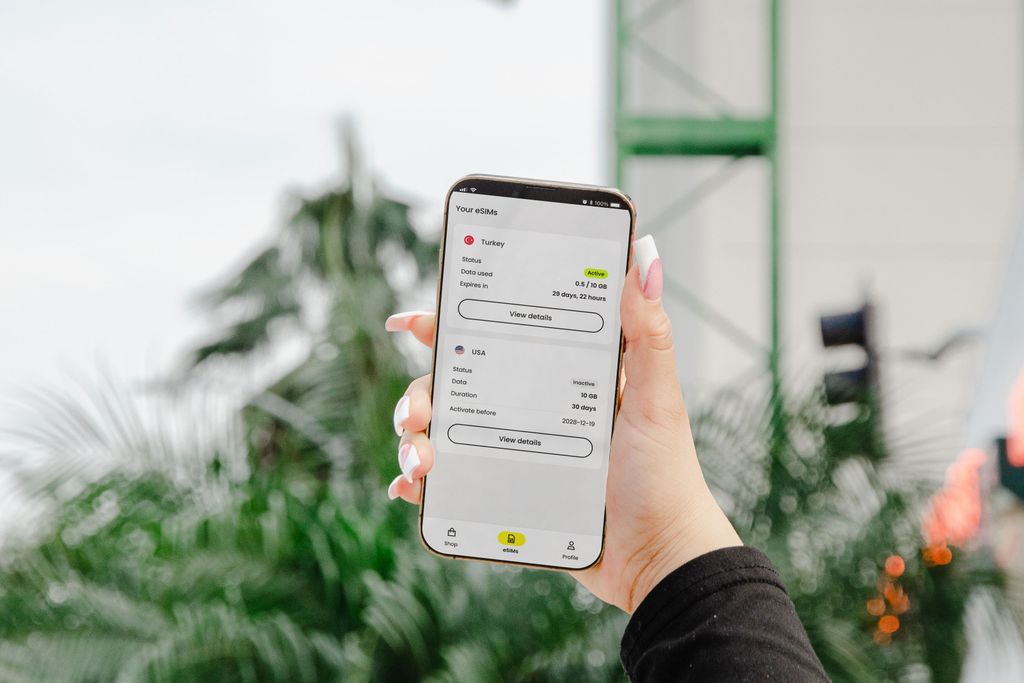
It is ready before you land. You install it at home before you fly, and it activates the moment you connect to a Korean network. No queue at the airport, no swapping out your physical SIM and losing your home number.
It runs on good networks. Holafly’s Korea plans run on major Korean carriers, including SK Telecom and KT, so you get true local LTE and 5G. Korea has some of the fastest mobile networks on earth, and 5G in Seoul and Busan is genuinely excellent. Even rural areas held solid 4G when my visitors traveled out of the city.
My go-to: I use Holafly on every trip and it is the eSIM I hand to anyone visiting Korea. Buy it a day or two before you fly so it is installed and ready to switch on when you land.
THE HONEST DOWNSIDES
I would not be doing my job if I only gave you the good parts.
It is not the cheapest. As of June 2026, Holafly’s South Korea unlimited plans run from about $6.90 for a single day up to around $139.90 for 90 days, which is roughly $2.32 per day on the longer plans. Budget eSIMs like Airalo sell by the gigabyte and can come in cheaper, for example around 20GB for under $30. If you are a genuinely light user who only checks maps now and then, a smaller capped plan might save you a few dollars. I pay the premium for unlimited because I do not want to think about it. You decide what your sanity is worth. (Confirm the current price on the Holafly link before you publish, since pricing shifts.)
It is data-only, no Korean phone number. Calls and texts happen through apps (KakaoTalk, WhatsApp, FaceTime all work fine over data). The only time the missing Korean number actually bites is a handful of local delivery or banking apps that verify with a Korean number, which most short-term visitors never need to touch.
Heavy streaming can throttle. On extreme usage (think non-stop HD streaming) speeds can slow down. For normal travel use, maps, browsing, social, I have never hit it.
HOW TO SET UP YOUR Holafly eSIM (step by step)
- Buy your plan on the Holafly site and pick your trip length.
- Get your QR code by email, usually within minutes.
- Install it at home, before you fly. On iPhone: Settings, Cellular, Add eSIM, then scan the QR code. Newer iPhones offer one-tap install. Label it “Holafly” so you can find it.
- Leave it switched off until you land. When you arrive in Korea, set the Holafly eSIM as your data line and turn on data roaming for that line only.
- Keep your home SIM for your number, with its data turned off so you do not get roaming charges.
That is it. By the time you are walking to the airport train, you are online.

Holafly vs Airalo vs Saily vs GigSky: An Honest Comparison
I do not want you to take my word for it and ignore your other options.
Holafly is my pick, but the right eSIM depends on how you travel.
Here is the honest landscape. One thing worth knowing up front: every eSIM you buy for Korea (Holafly, Airalo, Saily, GigSky, all of them) routes through the same three Korean carriers (SK Telecom, KT, and LG U+).
So raw network performance is broadly similar across the board. What actually differs is the plan style, the app, the support, and the price.
Korea eSIM Comparison (2026)
All four use Korea’s same networks. The difference is plan style, app, support, and price.
Holafly
Data: Unlimited
Price: ~$2.32/day on longer plans, up to ~$139.90 for 90 days
No-fuss unlimited. Pricier, but you never track data or top up. My personal go-to.
Check Holafly →Saily
Data: Capped plans
Price: ~$10.99 for 5GB/30 days, ~$32 for 20GB
Made by the NordVPN team. Clean app, hotspot, built-in ad blocker. English-only support.
Check Saily →Airalo
Data: Capped plans
Price: ~$1.66/GB, around $28.50 for 20GB
200+ countries and a low entry price. Best if your trip spans several countries. Support can be slow.
Check Airalo →GigSky
Data: Capped plans
Price: Premium tier, free 100MB trial
Unique cruise and in-flight plans and global coverage. Reliable but pricey, with slower support.
Check GigSky →Prices as of June 2026 and subject to change. All four are data-only (calls and texts via apps like KakaoTalk and WhatsApp). Confirm current pricing on each provider’s site.
So which one should you actually pick?
- Want unlimited data and zero fuss? Holafly. This is me. I know exactly what I am getting, I never think about data caps, and I have had zero issues installing it or getting it running on my phone, in Korea for visitors and on my own trips across Europe, Jordan, and Morocco. I happily pay a little more for that predictability.
- On a budget or a light user? Saily or Airalo. Both are capped and cheaper. Saily has the nicer app and security extras, Airalo has the widest country catalog.
- Hitting several countries in one trip? Airalo. That huge catalog means a single provider across your entire route.
- Cruising, flying long-haul, or want one global eSIM? GigSky. Niche, but nobody else does cruise and in-flight as well.
And two non-eSIM options worth a mention: a pocket wifi device can make sense for a group sharing one connection or older phones without eSIM support, though it is one more gadget to carry, charge, and return. A local SIM at the airport is cheap but means queuing after a long flight and swapping out your home SIM. For a solo traveler or a couple who want to be online the instant they land, an eSIM wins on convenience every time.
FAQ
No, it is data-only. You will not get a local number, but KakaoTalk, WhatsApp, and FaceTime all work over data, which covers how most travelers communicate in Korea anyway.
It activates when you arrive and connect to a Korean network, not when you install it. So you can safely set it up at home days in advance.
Not really. Wifi is everywhere, but you cannot rely on it for navigation and translation while you are out moving around. You will want your own data.
Some Holafly plans now include limited hotspot support. Check the specific plan details before you buy if tethering matters to you.
Keep Planning Your Korea Trip:
- Top Things to Do in Seoul, South Korea
- Where to Stay in Seoul: 5 Areas Actually Worth Staying In
- How to Hike Mt. Gwanaksan in Seoul
- Your Guide to Exploring Bukhansan National Park in Seoul
- Hiking Mt. Inwangsan with Honeytrail Korea
- What It’s Really Like to Visit the Joint Security Area (DMZ)
- The Magic of Seoul’s Lotus Lantern Festival
- Boseong Tea Fields: A Simple Guide For First-Timers
- Ultimate PCS Guide: South Korea to Italy
- Travel Advising & Custom Itinerary Planning